How it works
Screenshot it. Artos does the rest.
Add a statement
Screenshot your bank app or pick the PDF statement. Share it straight into Artos, or add it from the plus button.
Check the rows
Artos reads each transaction and suggests a category. Accept what is right and change what is not.
See your month
Spending against your budget, a daily allowance, and where the rest went. No bank login needed.
At a glance
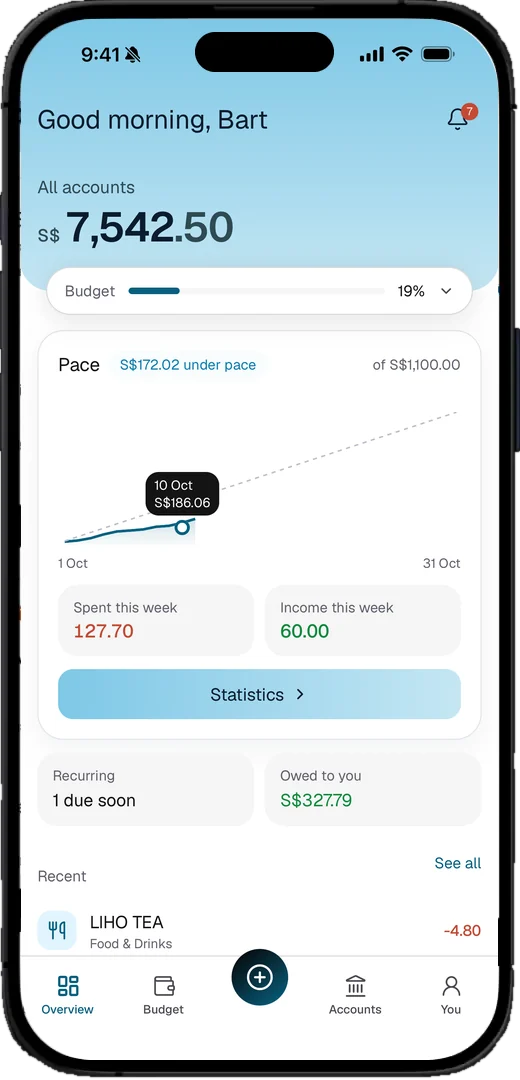
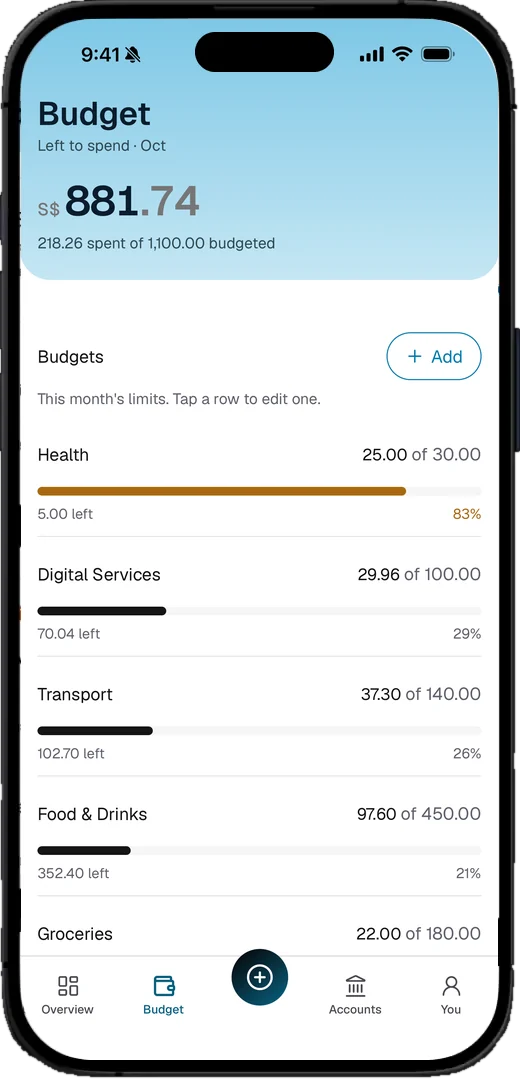
Know where your month stands.
Overview shows your spending against the pace of the month. Budget shows what is left in each category.
And more
More than a spending list.
Split a bill with friends
Share a dinner or a trip and see who owes what.
A budget that sets itself
Artos suggests limits from your own spending.
Flags for odd charges
Spot an unusual or repeating transaction at a glance.
Rules that file for you
Teach Artos once. It sorts matching rows every time.
Many accounts, one view
See all your accounts together, or pick one.
Private by design
Your money stays on your phone.
- No account, no bank login. Nothing here can look you up unless you give us a way to reach you.
- Usage events are optional and never carry amounts or merchants.
Get Artos.
Free for early supporters. Works on iPhone and Android.